Tuesday, July 15, 2014

Week 4: Digital Citizenship

Week 4:  Digital Dossier--What Does Your Old Skin Say About You?

Source
  "We feel that to reveal embarrassing or private things, like, (explicit), we have given someone something, that, like a primitive person fearing that a photographer will steal his soul, we identify our secrets, our pasts and their blotches, with our identity, that revealing our habits or losses or deeds somehow makes one less of oneself. But it's just the opposite, more is more is more—more bleeding, more giving. These things, details, stories, whatever, are like the skin shed by snakes, who leave theirs for anyone to see. What does he care where it is, who sees it, this snake, and his skin? He leaves it where he molts. Hours, days or months later, we come across a snake's long-shed skin and we know something of the snake, we know that it's of this approximate girth and that approximate length, but we know very little else. Do we know where the snake is now? What the snake is thinking now? No. By now the snake could be wearing fur; the snake could be selling pencils in Hanoi. The skin is no longer his, he wore it because it grew from him, but then it dried and slipped off and he and everyone could look at it.”― Dave Eggers, A Heartbreaking Work of Staggering Genius  

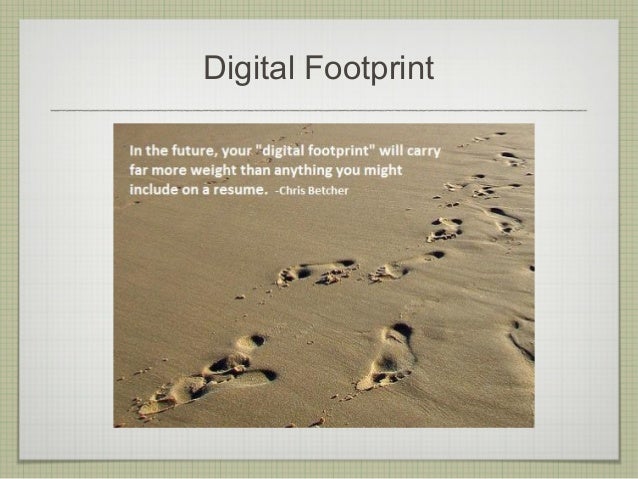
   I recall reading this cleverly written passage and it resonated with me for years to come.  It appealed to me because it radiated a sense of confidence to be free  and to express oneself unabashed. Then, who cares you move simply move on to conquer the world!  As I recall the profoundness of the passage and it's rebellious tone, I also recognize, sadly, it just does not ring with the same truth that it once did.   The part where Dave, the main character in the story, asks triumphantly, "…we know something of the snake, we know that it's of this approximate girth and that approximate length, but we know very little else.  Do we know where the snake is now?  What the snake is thinking now?"  Social media and technology has opened a whole new realm in answering those vary same questions vary differently today.  The answer today--Yes! We do! We not only know what one is thinking, but we know what that person is doing, not doing, sharing, buying, wearing, traveling, frequenting, ect.  Technology has created an unretractable  presence that lingers, exposes, and has the ability to destroy.  Unlike the skin shed by a snake that is left behind and untraceable to the identity of its owner, the Internet has made it virtually impossible to remain anonymous or to escape its unyielding power.  Once upon a time, teenagers and adolescents were free to make mistakes without much scrutiny, redefine themselves, and more times then none forget a hasty choice, or a harsh remark without the unforeseen shadow of their past decision haunting them with every new turn they make.   The stakes for making a poor choice are painstaking and irreversible.  "Young learners must learn that they have a digital footprint, which can be shared, searched, and seen by a large invisible audience.  Students can learn to take control over their digital footprint based on what they post online."


   Thus, I stand firm in the belief that we ALL must take swift action as educators, parents, caregivers, and adults to teach DIGITAL CITIZENSHIP.  K-8 Technology Teacher in Philadelphia, Mary Beth Hertz, states, "Students as young as 6 are joining social networks and conversing with other kids through online gaming and networks built around their favorite TV shows and movies as well as through products they see on TV."  Mary Beth Hertz goes on to explain  "Each year I spend at least a month reviewing digital citizenship and internet safety with all my classes.  We complete a project that will help us remember appropriate practices throughout the year as wise various online tools that incorporate social features." 


Being cognizant of the alarming statistics that coincide with the Internet and social media usage, I believe that it is my job as a responsible effective teacher to build awareness, responsibility, and a healthy climate to use technology. "Rather than shielding students that offer so many opportunities for learning let's prepare them, because the best Internet filter is the one right between their ears."


Nine Themes of Digital Citizenship

  1. Digital Access: full electronic participation in society.  Users need to keep in mind that there are some that may have limited access, so other resources may need to be provided.
  2. Digital Commerce: electronic buying and selling of goods.  Tech users need to understand that a large share of market economy is being done electronically.
  3. Digital Communication.  electronic exchange of information.  In the 21st century, communication options have exploded to offer a wide variety of choices (e.g., e-mail, cellular phones, instant messaging).
  4. Digital Literacy:  process of teaching and learning about technology and the use of technology.  As new technologies emerge, learners need to learn how to use that technology quickly and appropriately.  Digital Citizenship involves educating people in a new way--these individuals need a high degree of information literacy.
  5. Digital Etiquette:  electronic responsibility for actions and deeds  Users need to understand that stealing or causing damage to other peoples work, identity , or property online is a crime.
  6. Digital Law:  electronic responsibility for action and deeds.  Hacking into others information, downloading illegal music, plagiarizing, creating destructive worms, viruses or creating Trojan Horses, sending spam, or stealing anyone's identity or property is unethical.
  7. Digital Rights & Responsibilities:  those freedoms extended to everyone in a digital world.  Digital Citizens have the right to privacy, free speech, et.  Basic digital rights use be addressed, discussed, and understood in the digital world.
  8. Digital Health & Wellness:  physical and psychological well-being in a digital technology world.  Beyond physical issues such as eye safety, and receptive stress syndrome, are those of the psychological issues that are becoming more prevalent such as Internet addiction.
  9. Digital Security (self-protection):  electronic precautions to guarantee safety.  We need to have virus protection, backups of data, and surge control of our equipment.
  Based on the 9 Elements of digital citizenship I would show age-appropriate resources to educate my students on how to be a good digital citizen.  It doesn't have to be a lengthly lecture.  However, with the rampant use of technology and the safety issues surrounding them, I feel that it would irresponsible not to educate our students and children.  I would use the following videos to build awareness in my classroom.


   In conclusion, as we live in a digital age it is absolutely necessary that we recognize the fluid speed that photos and personal information can be shared and accessed via Internet.  It is our responsibility to our community, on and offline to maintain to protect, and to enhance the community in which we live in.

  

Wednesday, July 9, 2014

Week 3: BLog Review & Webquest

Week 3:  BLOG LD--THE GOOD, THE BAD, AND THE UGLY


Slide Presentation by Jennifer Wagner
Digital Footprints and the Impact ofOnline Navigation was a thought provoking slide presentation that really grabbed my attention.  Jennifer Wagner examines the use of the Internet and shares some very interesting statistics surrounding social media, especially pertaining to children and teenagers.  I often find myself asking the same haunting question, “How much is too much?” This presentation featured on her post was created with the intention of building awareness regarding the reality of technology and it’s wide spread usage.  Wagner’s facts are specifically alarming and meant to build awareness amongst parents of teenagers, although the statistics presented are powerful enough to leave an impression on anyone living in the 21st century.  Wagner describes a “digital footprint” as “the amount of content whether it be words, photographs, audio, or video, that is traceable back to a given individual.  Wagner includes, “A recent survey from AVG, found that 81% of kids under the age of 2 have some kind of ‘digital footprint’ online, usually in the form of e-mail accounts, social networking pages and photos posted on the Web.”  This post was very insightful on just how pervasive the exploitation of technology can become and what one can do to guard against its exploitations.  As an educator and a parent, it would behoove us to keep these facts in the front of our mind to guard against any creeping dangers that lurk. 

I was initially drawn to JenniferWagner’s blog for several reasons.  First, Wagner’s blog at first glance was aesthetically pleasing and inviting. It displays vibrant cheerful colors with an elementary school-aged little boy holding out some paint as if to suggest, “Come on! Let’s create something great together!!!!”  Being a big fan of the arts and creativity I was immediately drawn to this blog based on its images and initial impression.  This blog definitely does a great job in appealing to one’s sense of their inner child just waiting to bounce out, get messy, and create something beautiful and exciting!  My impression of Jennifer Wagner’s blog was that it is meant for an audience that is interested in infusing their classroom with creative fun projects—Uhhm, that would be me!  Yes please, AND I’ll take some of that! The visual layout of the blog has an energetic genuine feel that one can associates with free spirit and innovation.  In the traditional sense acrylic paints splattered on a child’s shirt and hand give it that feel.   Secondly, as suggested the blog does an excellent job in delivering a wealth of projects that I find to be potentially very useful within a classroom setting.  Lastly, I love the fact that she provides practical hand-on activities coincided with concrete how-to’s.  As suggested in her heading “Creative projects for Pre-K-Sixth Grade Classroom” certainly delivers!

Jennifer Wagner helps her audience to better understand technology and education by providing project links.  This is a great tool to help one understand the how, why, and when’s of technology.  For example, Wagner lists a literature project depicting how Students around the USA and Canada (and their teachers) created an ONLINE representation of the book, Charlotte’s Web.  She provides the specific technology incorporated into the project to give it an updated fresh feel for today’s young learner.  I think that I liked this one so much because I recall doing a book report when I was in Elementary School.  This project was a new and creative spin off of the old endearing classic that I personally could relate to and loved.  The links are very user friendly and assessable.  I found the tabs on the blog to organize the information very nicely.   This feature helps users navigate with ease, which was a plus in my book.


Kids Deserve Great Teachers! Darren Draper’s Blog on the contrary was not necessarily that visually enticing at first glance.   Entitled, “DRAPES TAKES” projects a stark black and white screen redirecting its viewers to his new blogging platform.  However, the new platform doesn’t seem to latch onto a viewers’ attention either in my opinion.  I found the initial impression to be somewhat subdued and dull.  However, I must admit as I investigated onward I found a touching post that I really enjoyed reading—“TO THE TEACHERS OF MY CHILDREN.” It’s contents is a heartfelt letter written to teacher after the passing of his grandfather.  Within it Draper considers the lessons he has learned and parallels them with a teaching philosophy that he deems to be paramount in a technological age of exchanging and creating ideas.  Draper pleads, “I’ve done my best to provide an energetic learning environment in our home, but I’m desperately relying on you, your skills, and the time you have to spend with my child to fill in any holes I might not even know exist. Because my kids have grown comfortable using technology when they learn (and they gravitate toward anything with a screen), I think you’ll have the best luck in leveraging technology’s potential for instruction. Nevertheless, I’ll also trust your judgment in determining how best to reach my child; and hope – earnestly hope – there’s consistently constructive purpose behind the ways you choose to spend the time that you’re given.”  Wow!  Kudos to Draper for appealing to our sense of worthiness and responsibility to rise to undertake such a commission!

Finally, in Darren Draper’s Blog I found the segment based on “The Educator’s Guide to the Creative Commons” to be insightful.  Darren post a video explaining what exactly the “Creative Common” is and how it applies to educators and creators.  I was not familiar with this service so I felt that it was a useful bit of information that I would not have otherwise known about. 


Angela Maiers portrays a blog that exudes confidence, expertise, and guidance.  Her photo is friendly and confident as a first impression piece.  It is clearly a blog that promotes Angela Maiers and her mission--to educate everyone on 2 simple yet powerful words.  "YOU MATTER!"  Her role is very straightforward, as she clarily identifies herself as you would see on a cover letter: author, speaker, writer, and teacher.  The words, "As seen…" pointing out where she has been featured adds to Maiers credibility and markets her a reliable source of education. 
I really like her overall message to educators. 

Moreover, I found Maiers post, Olympic Student-Athletes:  Balancing School and Sports to be very inspiring and interesting.  Our whole family are avid skiers and we really enjoy watching the Olympics and learning about the athletes stories of hard work, perseverance, failure and success.  When a student competes at such a level much sacrifice is necessary in order to propel forward and achieve such astonishing results.  "USA Today reported in 2005 on the growing trend to homeschool elite athletes, with reporter Sal Ruibal noting that athletes who are home schooled have the flexibility to get adequate workout time, nutrition and rest—something a traditional school would not afford." Since my passions include the arts, traveling, and sports.   I believe that the lesson of courage, wisdom, and endurance derived from these disciplines serve as a valuable tool in sparking a student’s own drive to learn.  I am dedicated to involving my students in the learning process to inspire their love of learning.  I think that articles such as this serve as a great inspiration in teaching.  Also, I think that it is interesting to examine the role of technology as a tool in homeschooling as well.  


Blog Assignment Part #2

I can't even put in words how super excited I am to create this webquest!  After I got home from our last class and settled in with all the new information that we received, I did a little soul searching…  I contemplated what would be a subject that I would love to explore and create a lesson around?  I reflected on what subjects that I found to be the most interesting as a young student growing up, and tried to come up with an innovative approach to really engage young learners.  The webquest we viewed in class "Travel To Ancient Egypt WebQuest" served as my inspiration AND the light bulb went off!  I would create a webquest with a theme of assisting the legendary Indiana Jones in his next assignment--to recover the magical stolen amulet.  This jewelry is unlike anything they have ever encountered before, as it contains a rare power of infusing its wearer with protection and eternal life!" HAH HAH HAHHH  My plan is to design a lesson targeting students in grades 5-6.  I will deliver the introduction as a secret agent mission letter introducing them to their assignment as mentioned above.  Their job will be to research and provide Indiana Jones on the history and facts of Ancient Egypt.  Their task will not be an easy one.  Therefore, they will need to go through special training to become an expert in the area of:
  • Pyramids
  • Mummification
  • Hieroglyphics
  • Religion and Jewelry Worn
Dr. Jones is relying upon each agent selected to solve this mystery.  My objective for this assignment is to see young learners really delve into the history and explore Ancient Egypt.  I would like them to have a solid understanding of what the Pyramids, Mummification, Hieroglyphics etc. were and how their beliefs shaped their culture.  I will have them work in a team of 8 and pairs to research one particular area.  I will be incorporating into the lesson Hieroglyphics Pictionary, which the whole class will participate in.  I would like them to have an end project of creating an animation of the mummification process, Hieroglyphics, Pyramid making ect. through resource such as: Animation, Padlet, Story Board, or Visual Demonstration of their choice (upon approval).  Students will have the opportunity to brainstorm and design how they would like to demonstrate their knowledge of Ancient Egypt.  I believe that the most challenging part of this lesson is to create something that is original.  I am open to any suggestions on lessons that might be applicable to my webquest.  Best of luck to my fellow peers.  I look forward to sharing our ideas.   


Tuesday, July 1, 2014

Week 2: Webinar Review

Week 2:  Empowering Young Learners to           Reach New Heights


Source

As I browsed through the various webinars and became familiar with the vast array of topics featured, I found one that really piqued my interest.  (...this was evidently only after I was 40 minutes deep, ferociously taking notes on a webinar that I had chosen based off of the title and NOT so soon decided, "Hmm?  Funny?...  This really doesn't have anything to do with my major or teaching objective?!" Hence, I soon made a shift in direction, discovering rule number one in the world of webinars--titles can be a little bit deceiving.)  Pushing forward, I did manage to find a webinar that was very informative and that I am confident will have a positive influence on teaching young learners, particularly in grades K-5.

 I am pursuing my Master's in Elementary Education; hence, I was thrilled to find a webinar located in http://edtechteacher.org/webinars/  targeting my specific goals and demonstrating the various hands-on technologies that we, as educators, can integrate into the classroom.  The webinar entitled, "Empowering Learners with Technology" featured a panel of four knowledgable enthusiasitic presenters located throughout the east coast from New Hampshire to New Jersey.  Speakers Beth Holland, Suzy Brooks, Samantha Moora, and Brenda Doubette (all of whom share an experienced background in teaching elementary aged students) enlighten the audience with recommendations on website resources, and numerous programs to integrate into effective teaching.  I especially appreciate that they each demonstrated how it works and provide excellent examples of children's work to give viewers a concrete visual.  

As I navigated my way through the infinite world of webinars I was guided by my main objective--to find quality technological approaches that I could utilize with elementary aged school children. What struck me in particular about the technologies being featured in the classroom by these presenters is that they didn't compromise the integrity of the lesson, nor did they stifle the creativity of the young learners being taught.  This had been a definite area of concern that had been dispelled once I witness the quality of work manifested via means of the technology being featured. In fact, I found these approaches in building a lesson to be quite to the contrary!  The technology featured gave a fresh and innovative approach to engaging the students, while creating a solid platform for which they each had the opportunity to gain a more in-depth understanding of the common core content in fun and creative ways.   Panel presenter, Samantha Moore, boasting over 20 years of  experience teaching 1st-2nd graders in public school and now a Technology Specialist summarizes the intent of their webinar's instruction by saying, "We focus on students as creators not just consumers.  Giving these fantastic tools, how can we create?  How can we curate? How can we communicate with our students?  As we use these tools we realized our goal is to create active learning environments to promote self-directed, passionate, autonomous learners who desire mastery."

As such, I am thrilled to share with you all some tools that I learned about that are web based as well as useful on mobile devises.


  • ABCya.com Abcya.com is a teacher-created website which provides fun and educational games and apps for kids to use under the guidance of their parents and teachers.  The games do not collect personal information and children and adults are able to visit the site and play the games without providing any personal information to ABCya.com.  To learn more about the author and how the site was created please read the ABCya! story

Word Clouds for Kids
Link
P

Color, Draw & Paint
Link


Make an Animation
Link


  • Croakit.com  30 Sec/Tons of Uses.  Special features: 
-ONE button to push
-NO log in
-30 Sec of audio recording
-Works on an device
-Share by email, link, embed code or social media
  • ChatterPix Kids  Taking a spin off of Croakit.com, this website is a brillant way to create talking photos and images.  One example of its use one teacher gave was to pick a person that is not on a coin, put it on the coin and narrate the picture.  Children took picture saved it to photos, pulled it to coins and saved it, pulled it into ChtterPix Kids.  Students learned multiple strategies with this assignment.  Silly and fun way to present information and learn language. 
  • Padlet As demonstrated in class, Suzy Brooks expanded upon Padlet and provided exciting ways to engage students, parents, and the community.  Like "online sticky notes."  Easy entry level that can grow with students as there skills grow.
  • Great for reluctant writers
  • Good for quite consumers that you know have some great ideas, great 
Used Padlet for families.  Created parent Pad that encouraged students to power them through the rest of the year.  First post guided them to self-teach and parents added images and students loved to visit the blog.

Connected to the greater community.  Projects on display.  So much work had been done for the event and created a dynamic site that interacted with the community and extended the event beyond the confids of the school wall.  Parents and interested parties could take picture and post. Teacher could monitor pictures, post, ect. and post to the site.  People could keep coming back to the site and access it, and benefit from it.  

  • Padlet & QR Codes  Instead of having everyone grab markers and run up to the sticky chart.  Student scanned QR Code and it was a direct link that allowed them to voice their thoughts on what they knew about frogs.  It is a way of extended the physical (Chart) to the digital.  


  • Popplet  Add concept map that allows you to add videos, photos, graphs, etc.  Can be used to showcase students work also.


"Popplet was perfect because they can type text and draw. They could type the number sentence for expanded form, and then draw the greater than / less than symbol. We’ve been drawing dots on the symbols to help us remember what they mean – 2 is greater than 1, so the 2 dots should point to the bigger number.  There is an EXCELLENT post over at Math Coach’s Corner about helping students understand these symbols, and why we shouldn’t call them alligators. Check it out!"--Meghan Zigmond


  • Scribble Maps  Use as a tool in Geography, Storytelling, Measurement, Social Studies, Science, more...
Course Learning Outcomes:
Learn ways to promote student reflection using collaborative tools to reveal and clarify students' conceptual understanding.  This learning objective was met on varying levels.  First off, I personally found this webinar to be extremely insightful.  I am currently testing out the educational activities with my son and daughter (ages 7 & 5).  I believe this webinar allowed me to gain an in depth understanding of not only the terminology in technology, but the wide range of tools that can be easily utilized within the classroom.  Honestly, the entire webinar and content featured was new to me, and I enjoyed it immensely.  This webinar really drove home various examples of how educators can use the technology as a collaborative tool.  This was made very evident as Samantha Moora explains, "Yes, we are talking about even going all the way down to Kindergarten! It can be done as it is appropriate to them, but giving opportunity to use these tools, and use them in ways that are meaningful to them…"  Throughout the webinar the presenters really focus on demonstrating how students can use various technological resources to gain a broader understanding of the content.  Or in other words, to clarify student's conceptual understanding.  

Moreover, I can completely see myself utilizing these user friendly tools to create engaging lessons that I believe young children will be delighted with.  I am also in the midst of deciding whether to be a troop leader for the youngest girl scouts in our area.  I think that Padlet would be a great way to connect with the parents and students.  I am very excited to utilize the resources that I researched! I see this as a great growing opportunity for everyone!

Demonstrate through application how state and national standards are implemented within the curriculum.   The presenters/instructors in "Empower Learners with Technology" are clearly attuned with the Common Core Curriculum Standards.  The presenters make several references throughout the webinar on how a particular technological resource may be utilized to meet these standards in literacy, math, social studies, and science.  For example, instructors highlighted Popplet as a tool that can actually enhance a students knowledge of math.  They demonstrate how students could use Popplet to illustrate the concept of:  greater than, equal to, and less than.   Moreover,  Brenda Doucette, Instructional Technology Specialist in middle school, makes direct reference to the Common Core standards as she demonstrates innovative tools such as Google Lit. Trips for Young Readers that allow students to take a tour of a whole book.  She goes on to explain how the .kmz file opens up and students can tour a part of the book, comprehension question are given, photos accompany content, and students have popup windows that they can open up to give a closer look to a particular area.

With the Common Core Curriculum in mind, I have personally experienced some additional websites that are fantastic for reading comprehension and math building skills.  My son practiced on these sites in his Kindergarten Class in CT, and it was truly remarkable.  The math program Xtramath.com races the student to beat the teacher.  We noticed a measurable difference in my son learning math fact and building his accuracy and speed.  At 6 years old he was able to do addition up to 11 in less than 3 seconds!  Also, it's a great way for parents and teachers to gauge their student/child's progress.  Furthermore, Razkids.com was a great reading comprehension website.  Stories are read to the children and then they answer questions and test their comprehension.  As the students skills progress so does the skill level of stories.  They are a great way to build vocabulary and reading comprehension.

In conclusion, whether your students have access to iPads, Chromebooks, laptops, or a computer lab, technology can empower even the youngest learners.  In this webinar we explored a handful of fantastic tools that nurture essential K-5 developmental and learning skills that you can use immedietely.  I would highly recommend this webinar "Empowering Learners with Technology" to everyone as a very valuable resource.  Enjoy!


Friday, June 20, 2014

Week 1: Technology Intergration


"Oops!... Tech Did It Again!"
Source
As I left our technology class I felt a warm buzz of excitement fall over me.  Technology continues to shape the environment we live in.  It lures us into a realm of intrigue, excitement, and insight all in a moment of exhalation.  It is a powerful tool that has undeniably shaped the way that we connect with one another and exchange information.  As I reflected on the classroom experience and the role that technology plays, I couldn't help but laugh when I somehow made the association with technology and the lyrics from Britney Spears song.  I'm sure that most of you are familiar with the catchy chorus,  "Cause to lose all my senses.  That is so typically me.  Oh baby, baby.  Oops!...Tech did it again. ...played with your heart, got lost in the game. Oh baby, baby.  Oops!.. You think I'm in love.  That I'm sent from above.  I'm not that innocent."   As corny as it may sound I think that this particular song came to mind because technology can be that powerful.  The impact that technology has had on each and every one of us is simply undeniable. Technology engages us. It excites us.  It baffles us.  It connects us.  Its power to launch us to new levels is invigorating!  Used responsibly, I believe it can promote children to academically progress and achieve.  As Ed Murphy stated in Bridging the gap between technology integration and common core standards in the classroom, "The pervasiveness of technology is not a threat to young minds across America or a death sentence to education as we know it--in fact, it's quite the opposite.  In today's increasingly digital age, technology integration in the classroom is perhaps the best way to engage students and utilize a wealth of tools and resources, while making learning fun."


  Supporting this school of thought, let's consider for a moment this video featuring real life teachers and students in a classroom sharing their experience with technology integration.


    I recall taking a media criticism class in my undergrad program for my degree in Communications.  I vividly recall analyzing the media and how it shapes our culture.  There are precise messages that are constructed in such a way to connect with us on a subconscious and conscious level.   My professor said, "Companies spend millions of dollars to make a 30sec-1 minute commercial?!... You better believe that they know what their doing and why."  Point being is that technology has a way of engaging us and beckoning us to react like nothing else.  Nowadays, the focus has shifted from commercials to social media.   Astounding statistics have proven to just what extent technology has influenced this generation. According to a statistical report on Youtube, The Social Media Revolution 2014, "We don't have a choice on whether we DO social media, the question is how well we do it."--Erik Qualman. Instead of being afraid of this medium, why not harness its power  to create an environment that inspires children to learn about science, math, reading, etc.?  

   Keeping in mind the clear impact that technology has made on our  society and the undeniable statistics staring us straight in the face, I think that it is time to embrace all that technology has to offer.  We should empower ourselves, as educators, by letting technology into our classrooms--Get out of the way while it unleashes the creativity, collaboration, and connection amongst our learners!